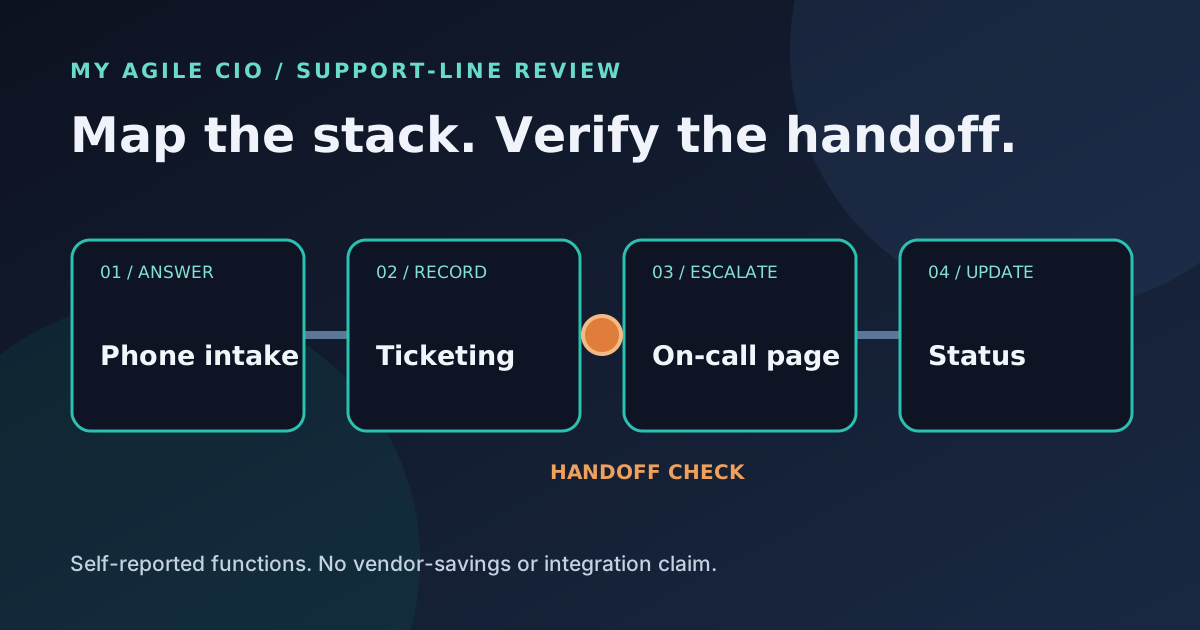
01 · List the support tools
Start with the part of your stack that receives and routes calls.
Add up to four tools. Check only functions you know each one supports in your current setup. Costs and seats are optional context; a shared feature does not mean a subscription can be removed.
Your support-line map
Review overlap candidates and missing routes.
Function overlap is a prompt to inspect contracts and workflow ownership. It is not avoidable spend, proof of integration, or evidence that one vendor can replace another.
02 · Define the call-to-ticket path
What must the first conversation capture?
What this check means
Coverage is self-reported; handoff still needs proof.
What it counts
For each of four support functions, the check lists the tools you marked. Two or more marked tools make that function an overlap candidate; none make it an unlisted function. It adds only the monthly costs you entered and notes any blank cost fields.
What it cannot conclude
The check cannot verify feature depth, integrations, ticket quality, contract terms, license use, or actual on-call availability. It does not calculate savings or recommend cancellation. Review the real phone-to-ticket and urgent escalation paths with your team.
From the first ring to the right engineer
Discuss a support-line triage flow.
My Agile CIO focuses on inbound IT calls: first-line triage, ticket intake, and routing urgent issues to the human path your operation defines. Bring your current stack and handoff notes to a walkthrough.
Put your plan in context
Read a related guide and a worked example →
Review your assumptions with the people who own the next step before configuring a live flow.